

Top 10 Coding Tools You Need to Edit Videos Faster
A practical guide to coding tools and tech tools in 2025 that speed up video editing, automate repetitive tasks, and optimize creative workflows.
In 2025, coding tools and tech tools are essential for editors who want to accelerate video production through scripting, automation, and programmable pipelines. The best tools combine command-line power, libraries, and cloud-friendly workflows to batch-process footage, automate transcoding, and integrate AI-assisted tasks. Whether you’re building render farms, automating ingest and transcoding, or writing custom filters and effects, these software apps enable workflow optimization and let creative teams scale video output while maintaining quality and control.
Table of Contents
- What Are Coding Tools for Video Editing?
- Top 10 Coding Tools for Editing Videos Faster
- Comparison Table
- FAQ
What Are Coding Tools for Video Editing?
Coding tools for video editing are command-line utilities, libraries, and frameworks that let editors and developers automate processing tasks, create custom effects, and integrate video workflows into larger pipelines. These tech tools include FFmpeg for transcoding, Python libraries like MoviePy for programmatic edits, binding libraries for GPU acceleration, and workflow orchestrators for batch jobs. By using coding tools, teams can achieve workflow optimization—automating repetitive tasks, ensuring repeatable quality, and scaling video processing across cloud or on-prem render farms.
Top 10 Coding Tools for Editing Videos Faster
1. FFmpeg
FFmpeg is the ubiquitous open-source command-line suite for handling audio and video: decoding, encoding, transcoding, muxing, filters, and streaming. As a fundamental coding tool, FFmpeg supports nearly every codec and container and is scriptable for batch processing—making it indispensable for automating repetitive tasks in post-production. Editors use FFmpeg to normalize formats, generate proxies, extract frames, burn captions, and transcode large libraries. In 2025, FFmpeg remains one of the best tools for workflow optimization because it can be integrated into shell scripts, CI pipelines, and cloud functions to process footage at scale while maintaining reproducible, high-performance video operations.
2. Python + MoviePy
Python paired with MoviePy provides a high-level coding toolset for programmatic video editing. MoviePy wraps FFmpeg operations and adds compositing, text overlays, transitions, and timeline control via Python scripts. This combination is great for automating routine edits: trimming, concatenating clips, adding intros, and batch-rendering localized versions. Because Python has a rich ecosystem—NumPy for processing, OpenCV for frame analysis, and bindings to ML toolkits—teams can build reproducible pipelines that integrate AI-based tasks like captioning or shot detection, achieving robust workflow optimization across production and post workflows.
3. VapourSynth
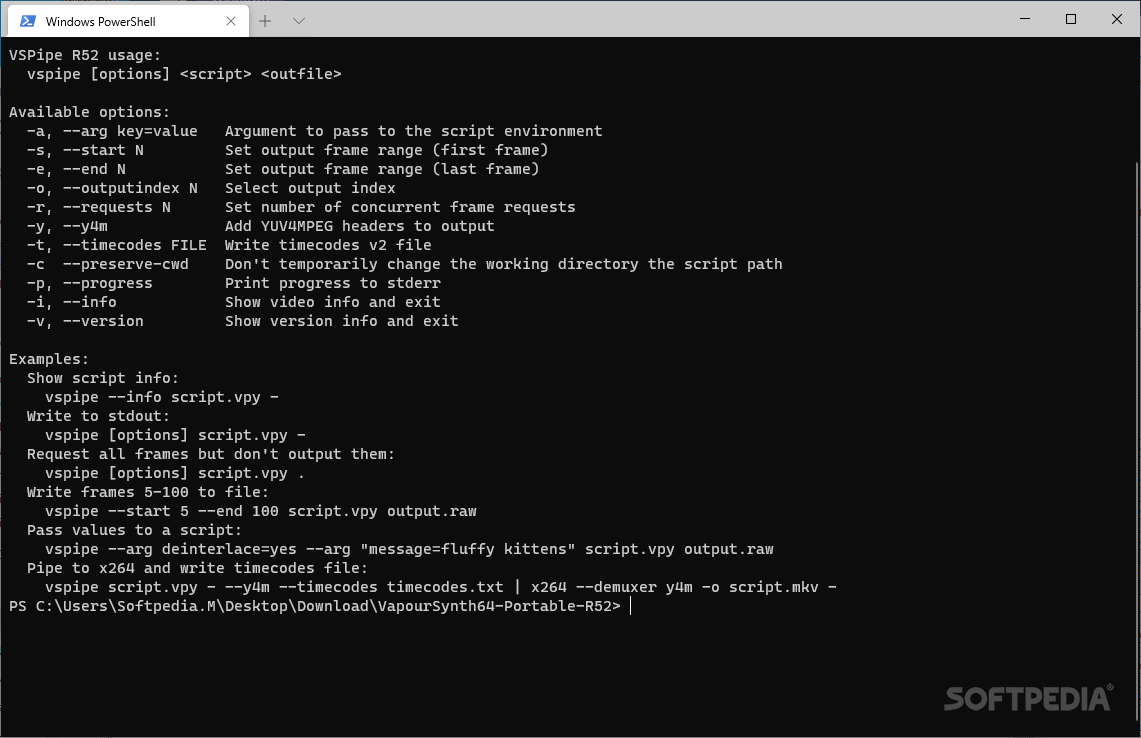
VapourSynth is a modern scripting-based video processing framework that supports Python scripting for complex filter graphs and high-quality frame processing. Favored by restoration and prosumer workflows, VapourSynth excels at advanced deinterlacing, denoising, and frame-accurate transforms. As a coding tool, it provides fine-grained control over per-frame operations and integrates with GPU-accelerated libraries for speed. For 2025 workflows that require precision and automation—such as archival restoration or batch enhancement—VapourSynth is one of the best tools for producing consistent, high-quality results programmatically.
4. OpenCV
OpenCV is a powerful open-source computer vision library often used as a coding tool to analyze and manipulate video frames. For editors, OpenCV enables automated scene detection, object tracking, shot boundary detection, and color analysis—tasks that feed higher-level editing decisions. When combined with Python or C++ pipelines, OpenCV can automate quality checks, crop framing, and prepare metadata for editors. In 2025, OpenCV remains essential among the best tools for workflow optimization where programmatic visual analysis accelerates editorial decisions and enables automated batch processing at scale.
5. CUDA / GPU-accelerated libraries (cuVID, NVENC)
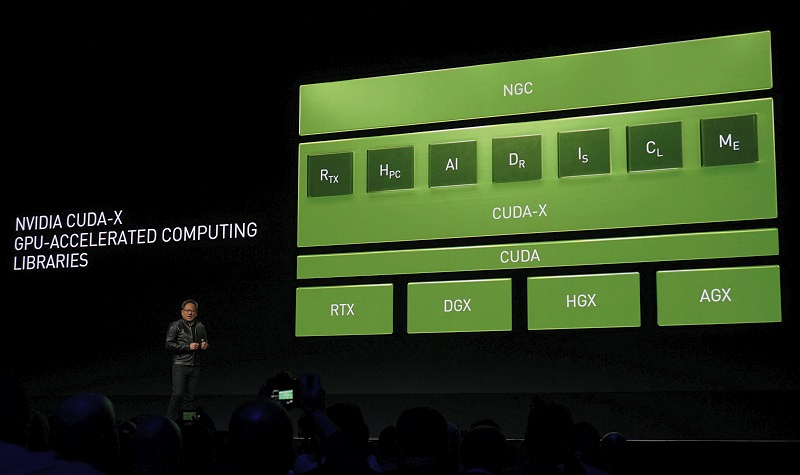
GPU-accelerated coding tools—NVIDIA CUDA libraries, NVENC hardware encoders, and cuVID decoders—are critical when throughput matters. Offloading encoding, decoding, and compute-heavy filters to GPUs massively reduces processing time for high-resolution footage. Integrating NVENC with FFmpeg or leveraging CUDA-based ML acceleration lets teams build pipelines that transcode, denoise, and upscale video faster than CPU-only approaches. In 2025, GPU-backed automation is among the best tools for teams that must process large volumes of footage, enabling workflow optimization by shortening render queues and enabling near real-time batch operations.
6. Shotcut / Kdenlive (scripting + CLI integration)
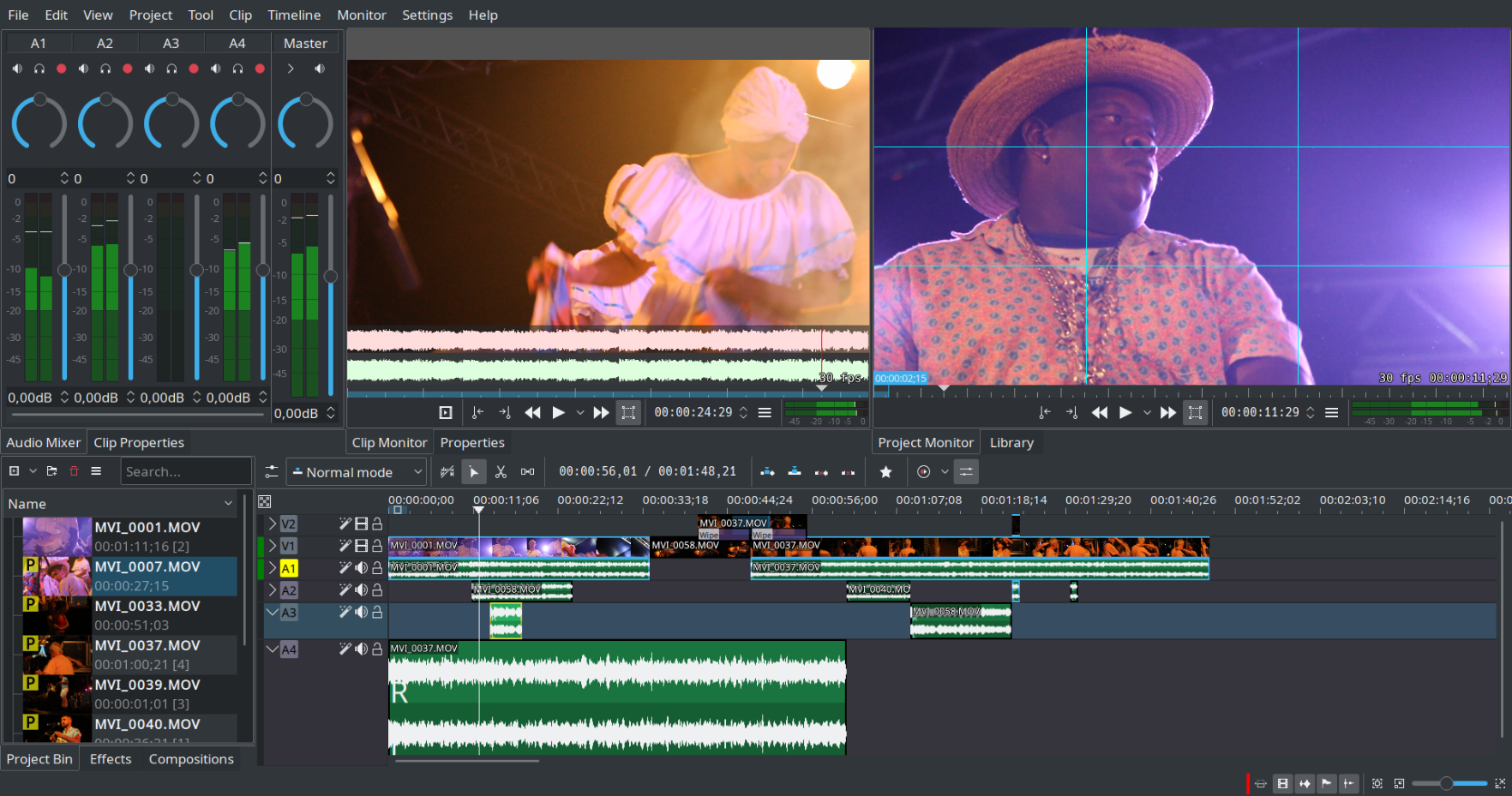
Open-source editors like Kdenlive and Shotcut support project export, XML interchange, and command-line workflows that make them effective coding tools for semi-automated editing. By exporting timelines to standardized interchange formats or invoking their CLI renderers, teams can integrate traditional NLE features into scripted pipelines. These software apps work well in hybrid workflows where human editing is combined with scripted batch tasks—e.g., rendering multiple localized versions or applying consistent color LUTs across projects—helping editors scale output while preserving manual control for the creative steps.
7. VapourSynth + AI models (DNN filters)
Combining VapourSynth or Python pipelines with AI-based DNN filters is a powerful coding tool approach for modern video work. Deep-learning models can denoise, deblock, super-resolve, or colorize footage automatically. By scripting model inference into frame pipelines—using TensorFlow, PyTorch, or ONNX runtimes—teams can apply consistent enhancements at scale. In 2025, these hybrid coding tools are among the best options for workflow optimization where automated quality improvement reduces manual correcting and accelerates delivery of high-fidelity final exports.
8. FFmpeg wrappers & SDKs (e.g., fluent-ffmpeg, ffmpeg-python)
FFmpeg wrapper libraries such as fluent-ffmpeg (Node.js) and ffmpeg-python provide safer, higher-level programmatic control over FFmpeg operations, turning complex command strings into composable API calls. These coding tools simplify building robust automation: spawning transcodes, managing filters, and handling errors across batch jobs. Using wrappers accelerates development of tooling that non-experts can consume—APIs, CI jobs, or web UIs—making FFmpeg-based workflows more maintainable and part of modern software apps that deliver workflow optimization for video teams in 2025.
9. OBS + OBS-Websocket (automation & headless capture)

OBS (Open Broadcaster Software) combined with OBS-Websocket provides a coding tool for automating capture, scene switching, and recording tasks—useful for batch capture workflows, remote recording labs, or automated live-to-VOD pipelines. Scripting via the websocket API lets teams schedule captures, control scenes, and trigger recordings from orchestrated pipelines, integrating with FFmpeg for post-processing. For creators and ops teams in 2025, OBS-based automation is one of the best tools to standardize capture workflows and feed downstream automated editing systems efficiently.
10. Airflow / Prefect (orchestration for media pipelines)

Orchestration platforms like Apache Airflow or Prefect act as high-level coding tools to schedule, monitor, and retry multi-step media pipelines: ingest, transcode, QC, publish. By defining DAGs or flows, teams can ensure dependencies, retries, and notifications are handled automatically, improving reliability and observability. In 2025, using an orchestration layer is among the best tools for workflow optimization when processing large volumes of media—ensuring end-to-end automation while providing metrics and hooks for human review when quality gates or manual interventions are required.
Comparison Table
| Tool Name | Key Feature | Best For |
|---|---|---|
| FFmpeg | Universal CLI transcoding & filters | Batch processing & automation |
| Python + MoviePy | Scriptable timeline & compositing | Programmatic edits & pipelines |
| VapourSynth | Frame-accurate scripting & filters | Restoration & precise processing |
| OpenCV | Frame analysis & vision algorithms | Shot detection & automated QC |
| CUDA / NVENC | GPU-accelerated encoding & compute | High-throughput encoding |
| Kdenlive / Shotcut CLI | Timeline export & batch rendering | Hybrid human+script workflows |
| DNN Filters | AI denoise/upscale/colorize | Quality enhancement at scale |
| FFmpeg Wrappers | Programmatic FFmpeg control | Developer-friendly automation |
| OBS + Websocket | Automated capture & control | Remote capture & live pipelines |
| Airflow / Prefect | Orchestration & scheduling | Complex media pipelines |
FAQ
1. What are the best coding tools to edit videos faster?
Top coding tools for editing videos faster include FFmpeg, Python + MoviePy, and VapourSynth—tools that automate transcoding, compositing, and frame-level processing to speed up repetitive tasks and enable scalable pipelines.
2. Can coding tools replace traditional NLEs?
Coding tools complement traditional NLEs rather than fully replace them: they automate repetitive, programmatic tasks (batch transcodes, QC, metadata extraction) while human editors focus on creative decisions, enabling better workflow optimization.
3. Are GPU-accelerated coding tools necessary?
GPU-accelerated tools (CUDA, NVENC) are highly valuable for high-volume or high-resolution processing because they dramatically reduce encode and ML inference times—making them among the best tools for throughput-sensitive workflows.
4. How do I integrate coding tools into my pipeline?
Start by identifying repeatable tasks, script them with FFmpeg or Python, and use an orchestration tool (Airflow/Prefect) to schedule and monitor jobs. Add GPU acceleration and DNN models where quality or speed benefits warrant the effort.
5. Which coding tool is best for video restoration?
VapourSynth combined with DNN-based filters and Topaz-style models (integrated via Python) is typically one of the best toolchains for restoration, offering fine-grained control and high-quality automated enhancement for archival footage.
Coding tools in 2025 give video teams powerful levers to automate repetitive tasks, speed up processing, and maintain consistent quality across projects. From FFmpeg for universal transcoding to orchestration tools like Airflow for end-to-end pipelines, these tech tools enable workflow optimization that scales with demand. Start small—script one repeatable task—then expand automation, add GPU acceleration, and integrate ML when it delivers clear quality or speed benefits. The right mix of coding tools and software apps will let your team deliver more videos, faster, and with predictable quality.



0 Comments