

Top 10 Chrome Extensions That Will Make Your Work 2x Faster
Boost your productivity with the best Chrome extensions, browser tools, and automation addons that streamline workflows and save time in 2025.
Using the right chrome extensions and productivity extensions can drastically reduce friction in your daily workflow. This article is for professionals, students, and remote workers who want to eliminate time-wasting browser tasks and boost daily output using AI Tools. The best chrome plugins not only speed up repetitive tasks but also integrate seamlessly with browsers, email, and project management tools. This guide highlights ten powerful automation addons and browser productivity tools that help you work smarter, focus better, and complete tasks faster. Jump straight to our curated list of the top 10 chrome extensions that will make your work 2x faster.
Table of Contents
- What Are Chrome Extensions?
- Top 10 Chrome Extensions That Will Make Your Work 2x Faster
- Comparison Table
- FAQ
What Are Chrome Extensions?
Chrome extensions are small software programs that customize and enhance the Google Chrome browser. They add features, automate repetitive tasks, and streamline workflows directly in the browser. Productivity extensions can save time on emails, note-taking, scheduling, research, and task management. Choosing the right browser tools ensures that your digital environment supports efficiency, minimizes context switching, and helps you focus on high-value work.
Top 10 Chrome Extensions That Will Make Your Work 2x Faster
Grammarly for Chrome (Writing & Communication)
Overview: Grammarly’s Chrome extension is more than just a spellchecker—it acts as a personal writing assistant that integrates directly into emails, documents, social media, and online forms. It identifies grammar, spelling, punctuation, and style errors while suggesting clarity improvements and tone adjustments. Additionally, Grammarly provides domain-specific suggestions, conciseness improvements, and plagiarism checks to ensure professional-grade communication.
Grammarly eliminates repetitive proofreading, reduces email revisions, and improves overall clarity in all written content. Teams can save hours in drafting communications and reports while maintaining a consistent professional tone. The real-time suggestions and context-aware recommendations allow users to produce polished content quickly, helping writers, marketers, and teams focus on strategy instead of editing. By shortening the feedback loop and improving first-draft quality, Grammarly directly accelerates work output and reduces time spent in content corrections.
LastPass (Password Management)

Overview: LastPass is a secure password manager that stores all your passwords, credit card information, and notes in a centralized vault. With autofill features for login forms and two-factor authentication support, it ensures maximum security without slowing down your workflow. It works across multiple devices, so you can access credentials seamlessly on desktop, mobile, or tablet.
By automating password entry and managing complex credentials, LastPass reduces time wasted on login errors and account lockouts. Teams or individuals dealing with multiple apps or web services can avoid manual tracking, prevent delays, and focus on high-value tasks. This extension also minimizes security risks, enabling safer remote work and faster access to essential tools. For anyone juggling dozens of online accounts, LastPass transforms repetitive authentication tasks into a smooth, efficient process.
You can also check out the article on "AI Tools to improve security".
Todoist for Chrome (Task Management)
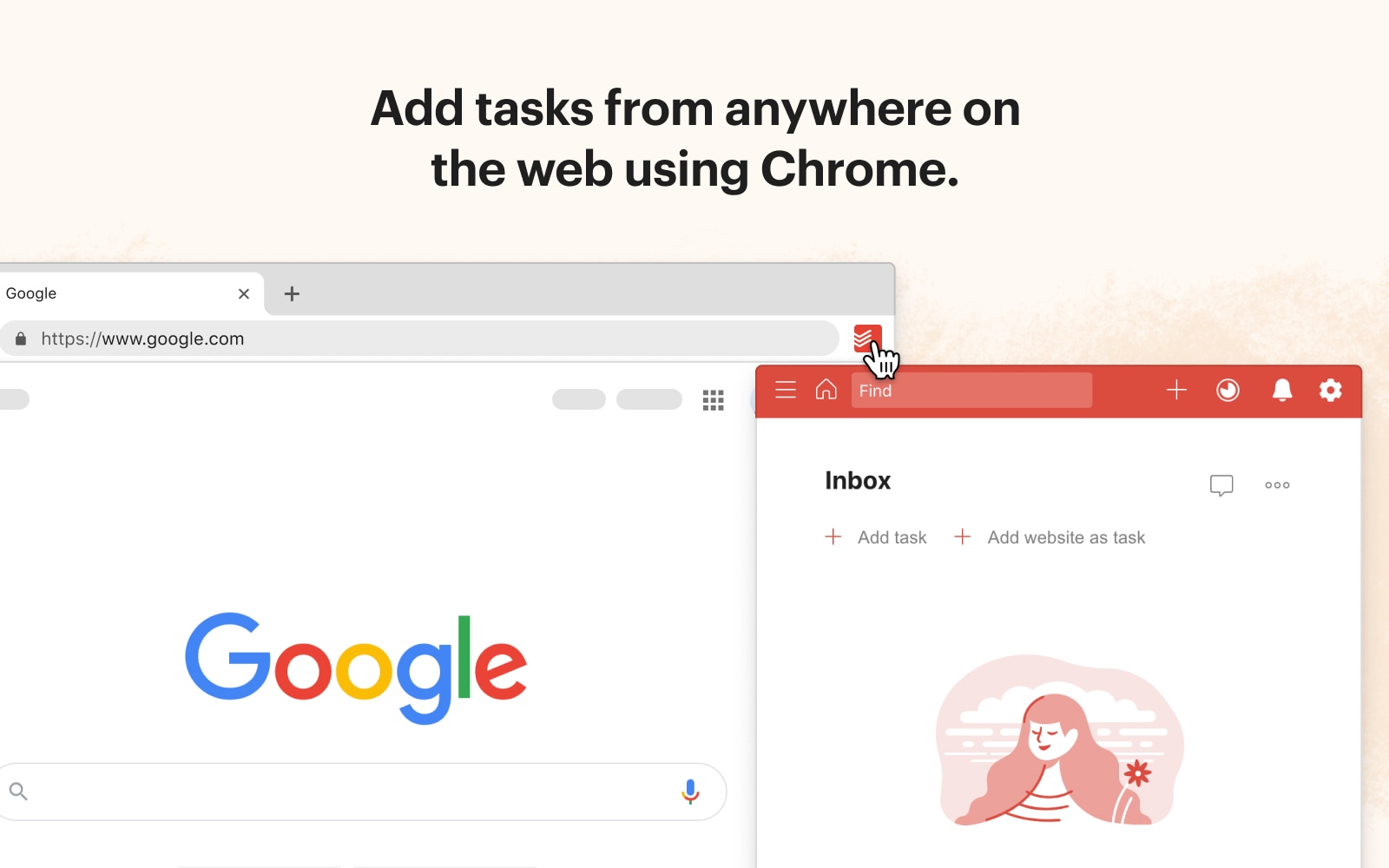
Overview: Todoist integrates task management directly into Chrome, allowing users to create, organize, and prioritize tasks while browsing. With label support, recurring tasks, and integration with email and calendar apps, Todoist helps individuals and teams maintain a single view of actionable items. It also offers project tracking dashboards and notifications to keep users on schedule.
Todoist reduces the cognitive load of remembering tasks and deadlines, consolidating workflow management into one accessible location. By automating reminders and syncing across devices, it ensures that nothing falls through the cracks. Teams benefit from better task visibility and collaboration, while individuals save time on manual task tracking. With Todoist, planning, organizing, and executing work becomes faster and more efficient, leading to higher productivity.
StayFocusd (Focus & Distraction Management)
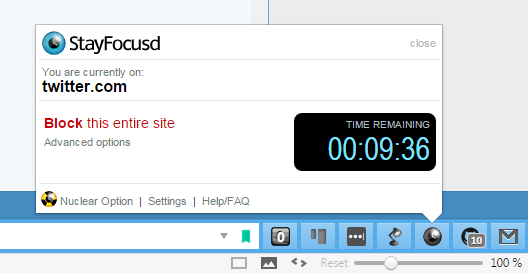
Overview: StayFocusd limits time spent on distracting websites, helping users maintain focus during critical work periods. You can set time limits for non-essential sites, block categories of websites, or enforce daily usage limits. It’s highly customizable, with “nuclear mode” options for strict focus enforcement.
By controlling distractions, StayFocusd maximizes attention on high-priority tasks. This extension helps users build disciplined work habits, reduces context switching, and prevents wasted time online. Teams or individuals dealing with frequent browser-based distractions can reclaim hours weekly. Its strategic control over browsing behavior ensures sustained focus, making every working session more efficient and task completion faster.
OneTab (Tab Management & Organization)

Overview: OneTab converts all open browser tabs into a single list, reducing clutter and memory usage. Users can restore tabs individually or all at once. This keeps Chrome lightweight and prevents slowdowns caused by multiple open tabs.
OneTab simplifies navigation, reduces distraction from tab overload, and minimizes browser lag. For researchers, students, or power users, this streamlines multi-tab workflows while keeping resources low. The ability to save and categorize tab sessions also creates an organized archive for ongoing projects, ensuring faster access to needed information and improved workflow continuity. By managing browser chaos efficiently, OneTab lets users focus on productive work.
Loom (Screen Recording & Communication)
Overview: Loom allows users to record screens, cameras, and audio directly from Chrome to share visual messages quickly. It’s ideal for tutorials, explanations, feedback, and asynchronous communication, and integrates with messaging apps, email, and project tools.
Why it supercharges productivity: Loom eliminates the need for long email threads or back-and-forth meetings. Teams can share instructions, demonstrate processes, and provide visual feedback instantly. This reduces delays, prevents misunderstandings, and accelerates project execution. Asynchronous communication becomes seamless, helping distributed teams stay aligned while saving time and increasing clarity in collaborative tasks.
Google Keep (Notes & Quick Capture)

Overview: Google Keep enables quick note-taking, link-saving, and task capturing directly from the browser. Notes can include text, images, checklists, and voice recordings, and they sync instantly across devices.
Why it supercharges productivity: Google Keep helps users capture ideas instantly without leaving Chrome. Research notes, project links, and reminders are centralized and searchable. By reducing information loss and streamlining task capture, it ensures continuity in work sessions. Teams can share notes for collaboration, while individuals maintain organized insights. This reduces context switching and accelerates follow-up actions on important items.
Todoist Chrome AI (Enhanced Task Automation)

Overview: Todoist Chrome AI adds intelligence to task management by suggesting task priorities, auto-generating reminders, and predicting deadlines. It analyzes task patterns to recommend optimal workflows and scheduling adjustments.
This AI integration reduces decision fatigue by highlighting high-impact tasks and automating repetitive planning. Users can focus on execution rather than constantly organizing their workflow. For teams, it ensures deadlines are visible, priorities are clear, and task completion is faster. AI-driven suggestions save mental effort and enhance consistency in task management, doubling productivity potential for busy professionals.Bit.ai (Document Collaboration & Knowledge Sharing)
Overview: Bit.ai is a document collaboration tool that lets teams create, share, and manage content directly in the browser. It supports rich media, live embeds, templates, and integrates with project tools like Slack and Trello.
Why it supercharges productivity: Bit.ai centralizes knowledge and reduces fragmented communication across emails and chats. Collaborative editing, version control, and content templates accelerate document creation. Teams save time finding information, avoid duplicate work, and keep content consistent. By combining document collaboration with browser accessibility, Bit.ai reduces overhead, streamlines workflows, and improves cross-team execution speed.
Pushbullet (Notifications & Device Sync)

Overview: Pushbullet syncs notifications, messages, and links between devices. It enables instant sharing between desktop and mobile and can send SMS from a computer.
Pushbullet eliminates constant device switching and ensures timely communication. Users can act on notifications instantly, share resources quickly, and reduce downtime caused by device juggling. This continuous synchronization streamlines remote work, team collaboration, and cross-device task execution, making work faster and reducing friction in multi-device workflows.Comparison Table
| Name | Key Feature | Ideal For |
|---|---|---|
| Grammarly | Writing & communication | Writers, marketers, teams |
| LastPass | Password management | Everyone needing secure logins |
| Todoist | Task & project management | Individuals, teams |
| StayFocusd | Distraction blocking | Focus-driven professionals |
| OneTab | Tab organization | Power users, multitaskers |
| Loom | Screen recording | Remote teams, educators |
| Google Keep | Quick notes & capture | Researchers, students, teams |
| Todoist AI | Task automation & AI suggestions | Productivity enthusiasts |
| Bit.ai | Document collaboration | Teams, agencies, content creators |
| Pushbullet | Device sync & notifications | Cross-device users |
FAQ
1. What are the best chrome extensions for productivity?
Top extensions depend on needs, but broadly: Grammarly, Todoist, StayFocusd, and Loom deliver the fastest time-to-value for individuals and teams.
2. Can these browser tools improve workflow efficiency?
Yes, they reduce repetitive tasks, automate organization, manage tabs, and centralize communication — all helping to complete work faster.
3. Are these extensions safe to use?
Most are verified by the Chrome Web Store. Always review permissions, enable two-factor authentication, and avoid untrusted sources.
4. Can automation addons replace manual task management?
They streamline and augment work but do not fully replace strategic decision-making. Use them to remove low-value repetitive tasks.
5. How to measure productivity gains from browser extensions?
Track metrics like time saved, fewer context switches, reduced errors, faster task completion, and increased focus.
These top 10 chrome extensions that will make your work 2x faster combine task management, focus tools, AI assistants, and browser automation. Use the right mix for your workflow, run a short pilot, and measure saved time. Implementing the best chrome extensions, productivity extensions, and browser tools will streamline work, reduce distractions, and significantly increase efficiency.
Also make sure to check out Top 10 Coding Tools You Need to Learn Faster.


0 Comments